A Leadership Guide
From Chat to Autonomous Agents —
What Every Leader Needs to Know
Harish · April 2026
The Landscape
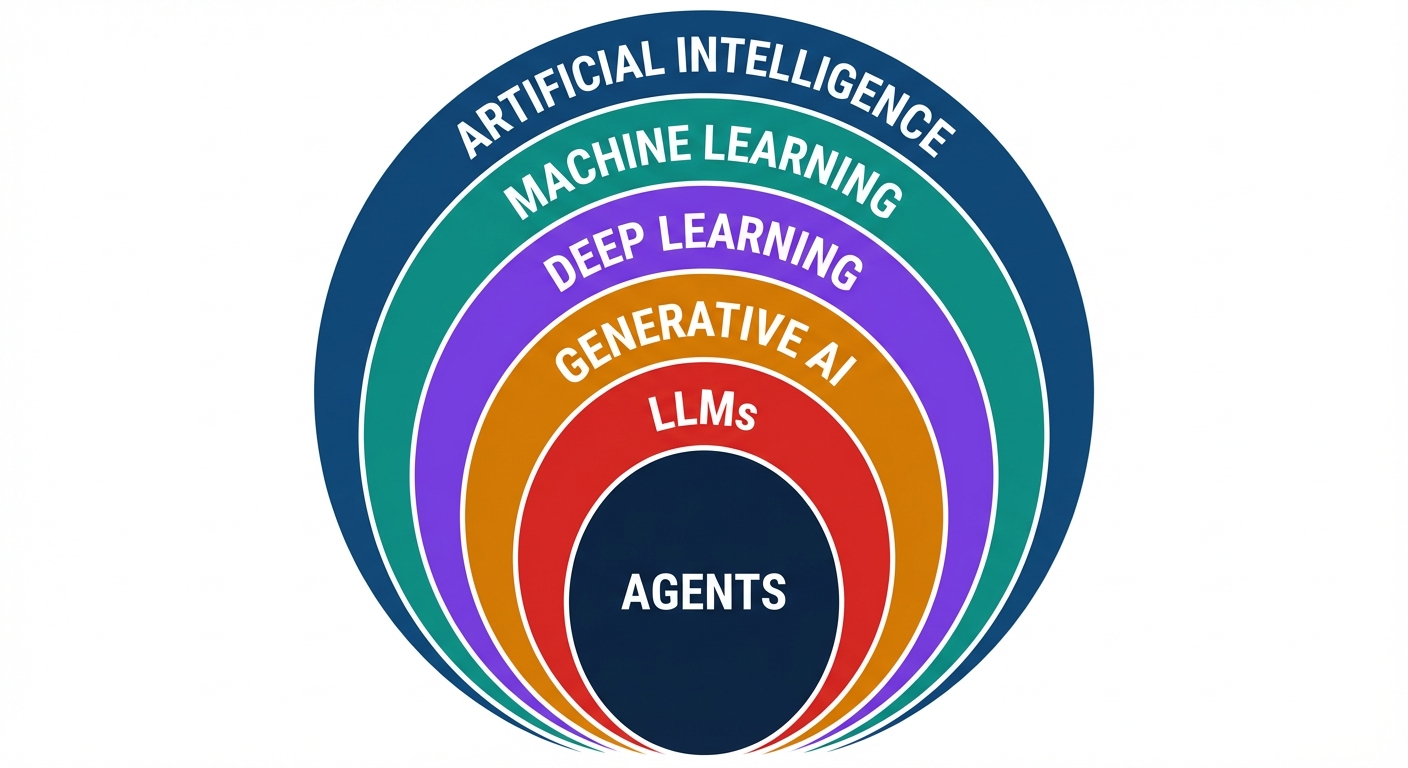
When people say "AI," they usually mean one specific layer. Here's how it all fits together — each ring builds on the one inside it.
Generative AI & LLMs are where the current revolution lives. Everything we discuss today sits in these two rings.
The Timeline
The AI explosion wasn't one breakthrough — it was scale + data + a chat interface that made it accessible to everyone.
Key insight: Parameter count went from 117M to 1.8T in 5 years — a 15,000x increase. But the real unlock was RLHF (learning from human feedback) and the chat interface — making AI usable by non-engineers.
The Imperative
The gap between knowing and doing is where competitive advantage lives. Today we'll walk through 5 levels of AI adoption — from basics to autonomous agents.

Level 1
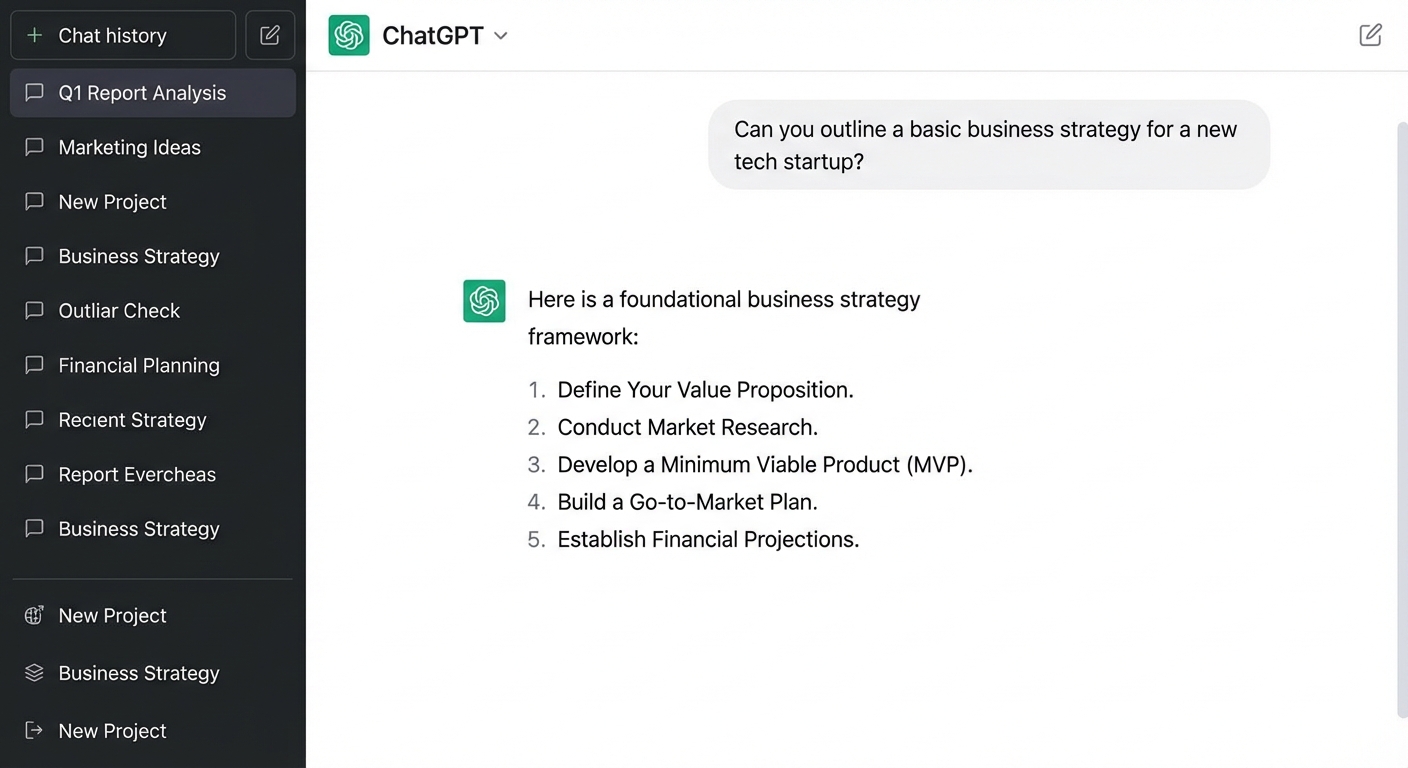
AI as your thinking partner. You ask, it answers.
This is where 90% of people are today.
Level 1
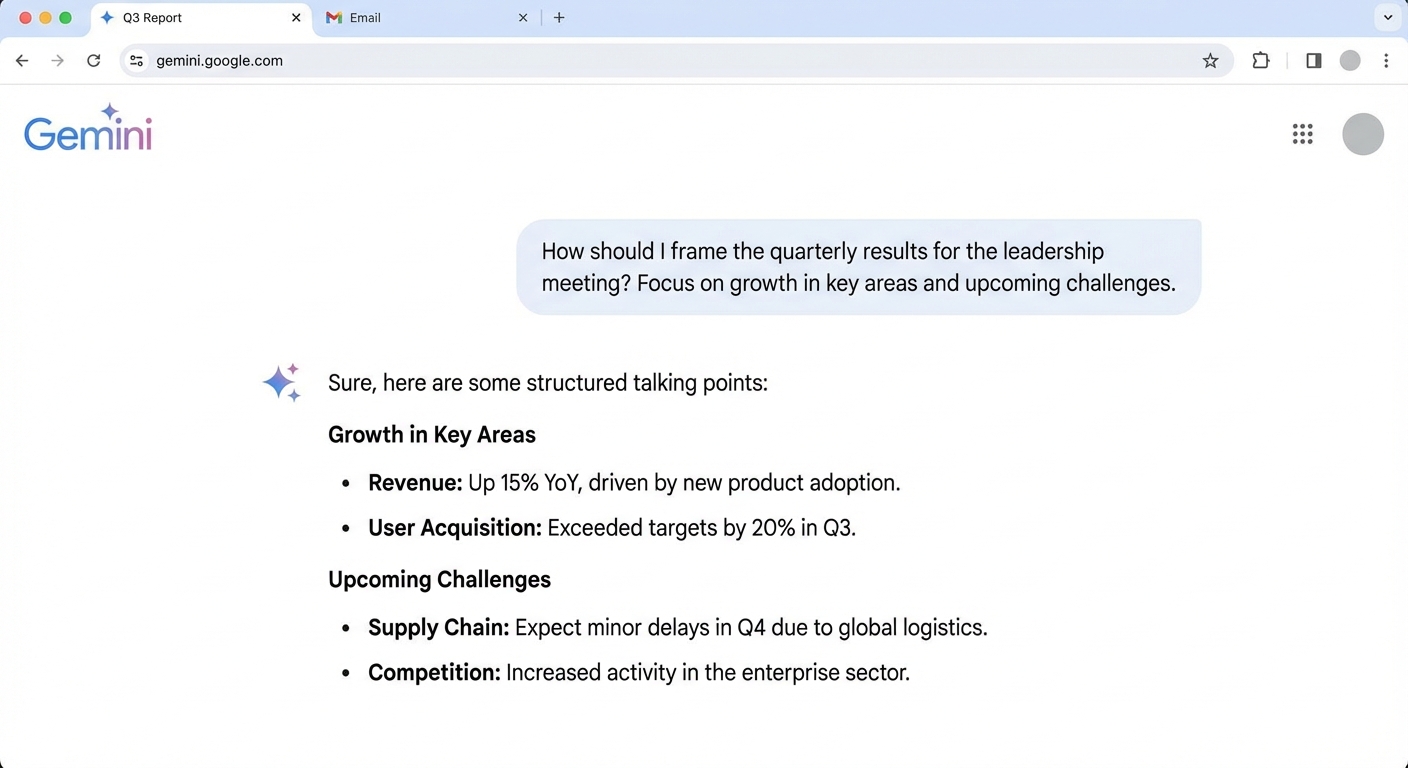
You type a question, you get an answer. It's Google that talks back — but understands context, nuance, and follow-ups.
Level 1 · Industry Example
of all customer chats handled by AI in the first month. Equivalent to 700 full-time agents. Resolution time dropped from 11 minutes to 2 minutes.
Klarna AI Assistant, Feb 2024
saved per week per consultant using ChatGPT for email drafting, meeting prep, and research summaries. Across 18,000 employees, that's 3.7M hours/year.
Bain internal productivity study, 2024
The lesson: Level 1 isn't trivial. Companies that rolled out even basic chat AI saw measurable impact within weeks — not months.
Level 1 · How I Use This
Daily thinking partner for brainstorming, summarizing long documents, drafting communications, and exploring ideas before committing time.

Level 1 · The Skill That Matters Most
The quality of AI output is directly proportional to the quality of your input. A good prompt turns a generic chatbot into a domain expert.
Weak: "Write a market update."
Strong: "You are a senior equity analyst at an AMC. Write a 200-word market update for our IFA partners covering this week's Nifty movement and top 3 sector trends."
Tell AI the format, length, audience, and tone you want. Use bullet points for multi-part requests. The more precise your ask, the less you'll need to revise.
AI remembers the conversation. Say "Make it more concise," "Add data points," or "Rewrite for a CXO audience" — don't retype the entire prompt. Build on what you have.
Show AI what "good" looks like. Paste a previous report you liked and say "Write in this style." Few-shot examples dramatically improve output quality.
The 80/20 rule of prompting: Spending 2 extra minutes crafting a detailed prompt saves 20 minutes of back-and-forth editing. Prompting is the new business literacy.
Level 1 · Risk
At Level 1, the AI provider (OpenAI, Google, Anthropic) processes your queries on their infrastructure. Free-tier conversations may be used for training.
Rule of thumb: If you wouldn't say it in a coffee shop, don't type it into a free AI chatbot.

Level 2
AI as your research analyst and content engine. You stop just asking questions and start producing.
The output is no longer text in a chat — it's finished artifacts you can use.
Level 2 · The Toolkit
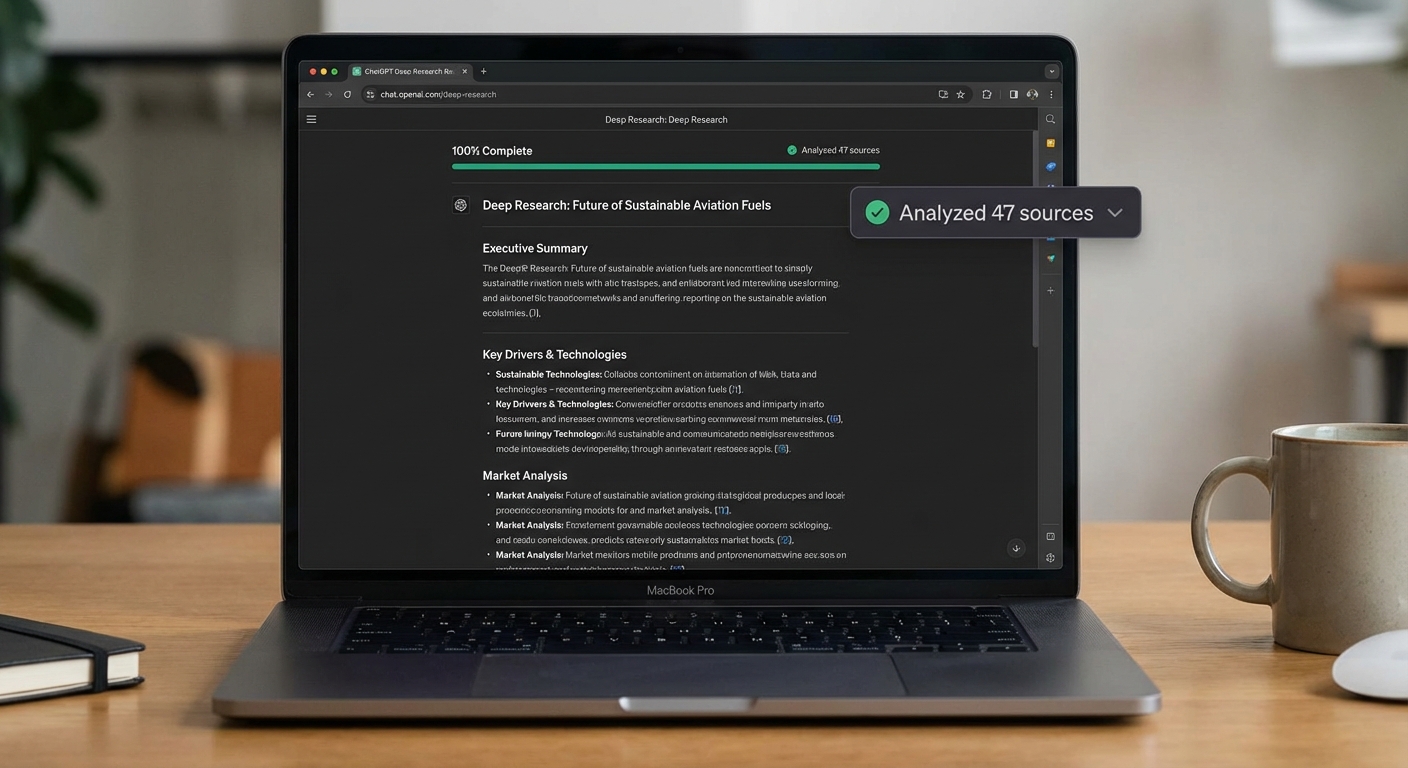
ChatGPT, Gemini, and Perplexity can read 50+ sources and produce cited research reports in minutes.
DALL-E, Midjourney, Imagen — create professional visuals, diagrams, marketing assets from text descriptions.
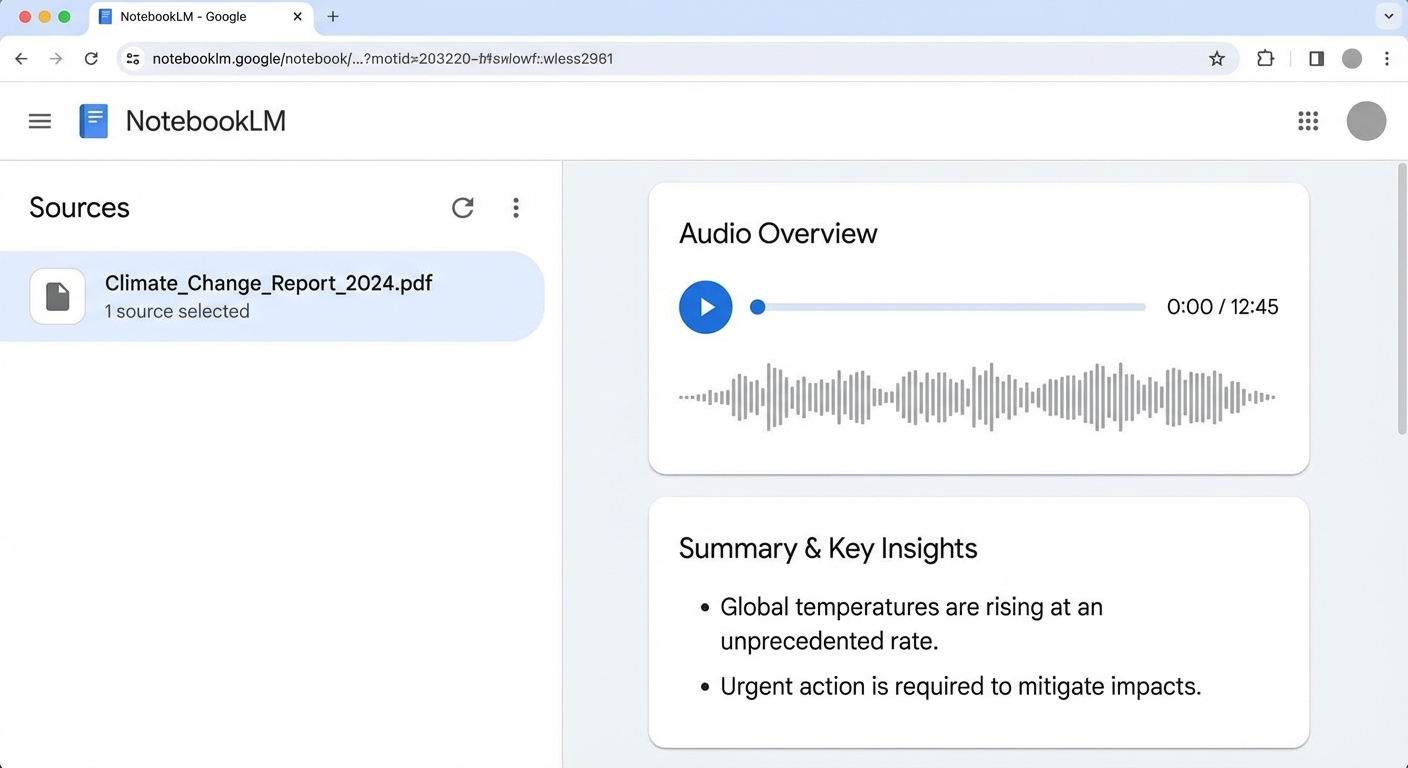
Google's tool that turns documents into AI podcasts, study guides, and interactive Q&A — from your own data.
Long-form reports, proposals, emails, and memos — not just suggestions, but complete first drafts.
Tools like Gamma, Beautiful.ai, and Claude Artifacts create complete slide decks from bullet points.
Sora, HeyGen, ElevenLabs — generate videos, voiceovers, and talking-head presentations from text.
Level 2 · Deep Research
Deep Research modes read dozens of sources, cross-reference information, and produce structured reports with citations — the work of a junior analyst in an afternoon, done in 15 minutes.
Traditional: brief an analyst → 2-3 days → review → revise.
Now: describe what you need → 15 min → done.
Level 2 · Industry Example
Nearly every financial advisor uses the AI Assistant daily — trained on 100,000+ internal research reports.
Q3 2024 net new assets — advisors armed with instant research spend more time with clients, less time searching.
Questions that used to require calling the research desk now answered in 30 seconds — the firm's entire intellectual capital, instantly accessible.
The model: Morgan Stanley didn't build new AI — they gave advisors Level 2 access to their existing research via an AI interface. The AI is the distribution layer for institutional knowledge.
Level 2 · How I Use This
I use Level 2 tools for research, content creation, and document generation — work that used to take half a day now takes 20 minutes.
Level 2 · Risk
The AI provider processes your uploaded files to generate analysis. The more context you give AI, the more powerful it gets — but the more exposed your data becomes.
The tension that runs through all 5 levels: more context = more power = more risk.

Level 3
AI that knows your work, your files, and your tools. A persistent collaborator, not a one-off assistant.
Level 3
At Levels 1-2, every conversation starts from zero. At Level 3, AI has memory, projects, and connections.
Persistent context — upload company docs, set custom instructions. The AI "knows" your business across conversations. Like briefing a consultant once instead of every meeting.
AI builds things live — interactive charts, working applications, formatted documents, code — right inside the chat. Not just answers, but usable deliverables.
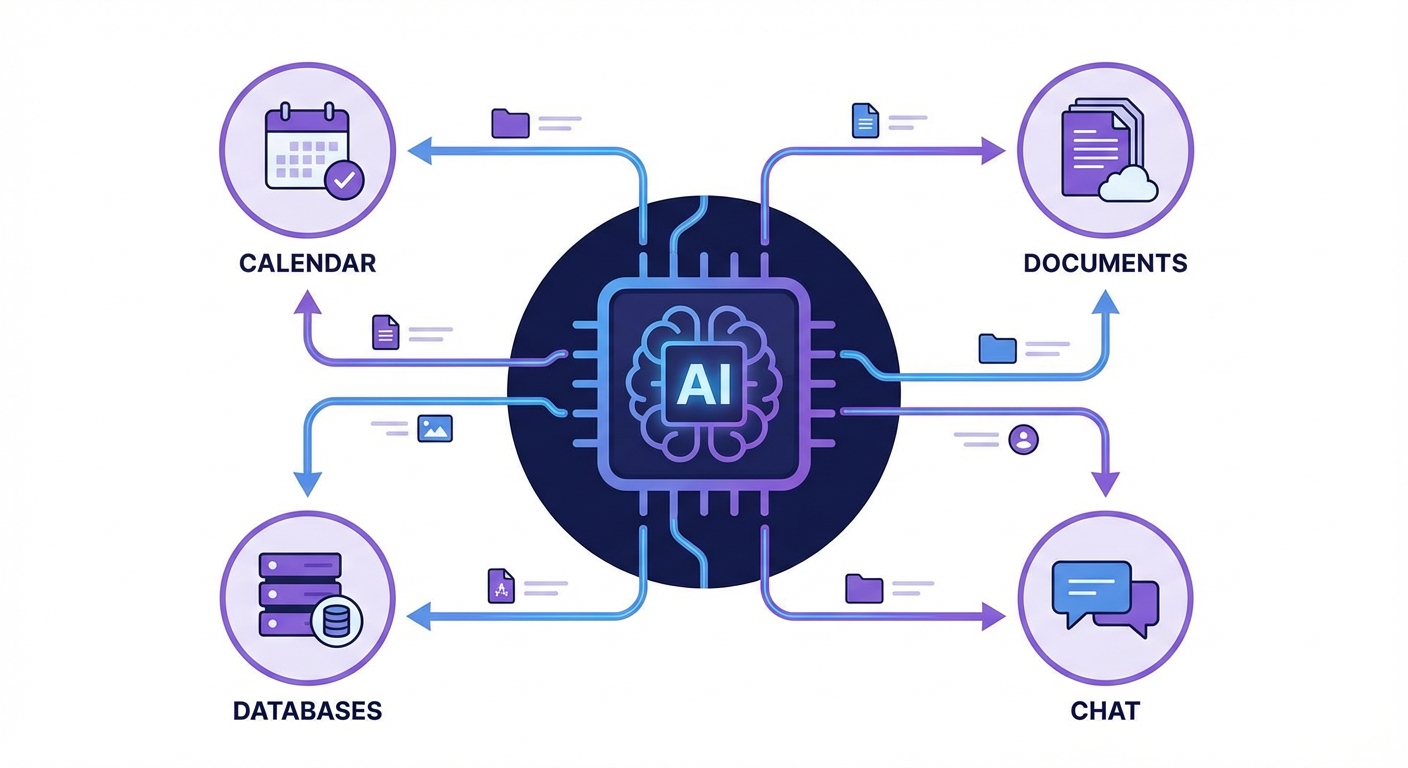
AI connects to your tools — Google Drive, Slack, databases, APIs. Model Context Protocol (MCP) is like USB-C for AI: one standard adapter for everything.
Platform example: Claude Pro — with Projects, Artifacts, and MCP integrations. This is where AI transitions from tool to teammate.
Level 3 · In Action
Upload your documents, set the context, and Claude responds with deep institutional knowledge — then builds live, interactive deliverables.
Level 3 · Connections
Model Context Protocol (MCP) lets AI plug into any tool — the way USB-C works for hardware. One standard, infinite connections.
Level 3 · How I Use This
I run Claude Projects loaded with company context — so every conversation starts with deep knowledge of our business, our data, and our strategy.
Level 3 · Risk
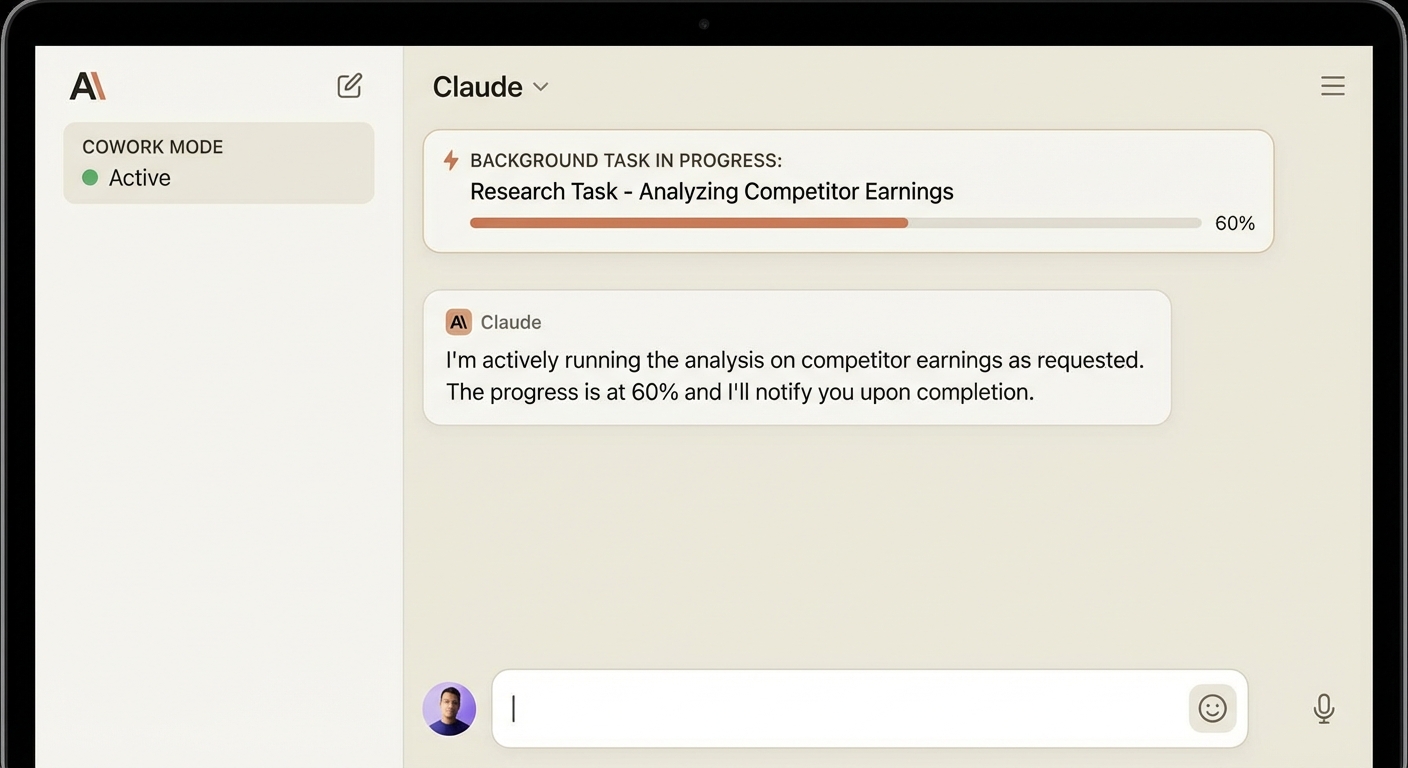
Plugins connect to real data sources. Projects remember past conversations. Co-work tasks run autonomously in the background. This isn't just data privacy anymore — it's access governance.

Level 4
AI that can see your entire codebase, run programs, and make changes directly. This is where AI becomes a hands-on worker.
Level 4
Imagine the difference between describing a house to an architect over the phone vs. walking through the house together.
The tools: Claude Code (terminal), Cursor (IDE), GitHub Copilot (IDE), Windsurf (IDE). These give AI direct access to your file system, terminal, and development environment.
Level 4 · Claude Code
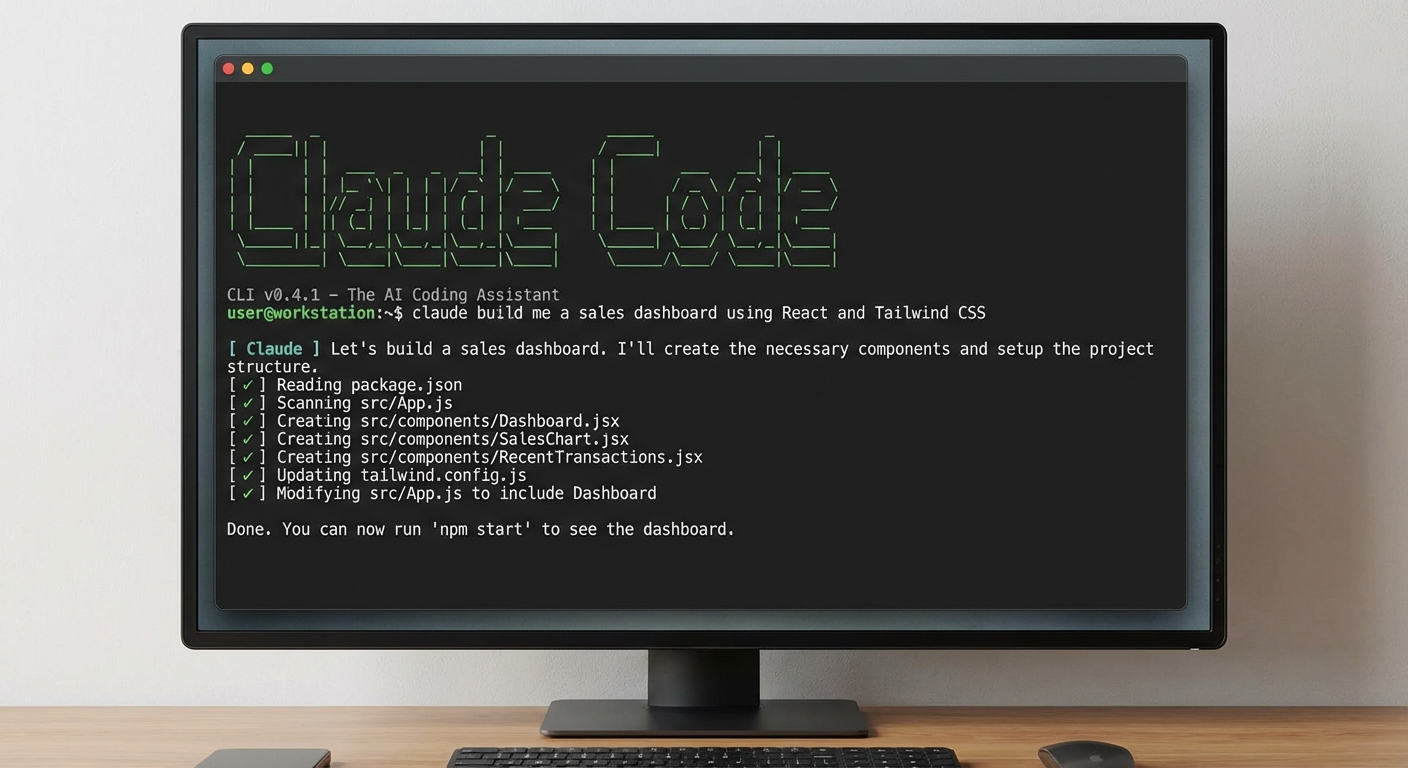
Claude Code runs directly in your terminal. It reads files, understands context, makes changes, runs tests, and iterates — like a senior developer pair-programming with you.
Level 4 · IDE
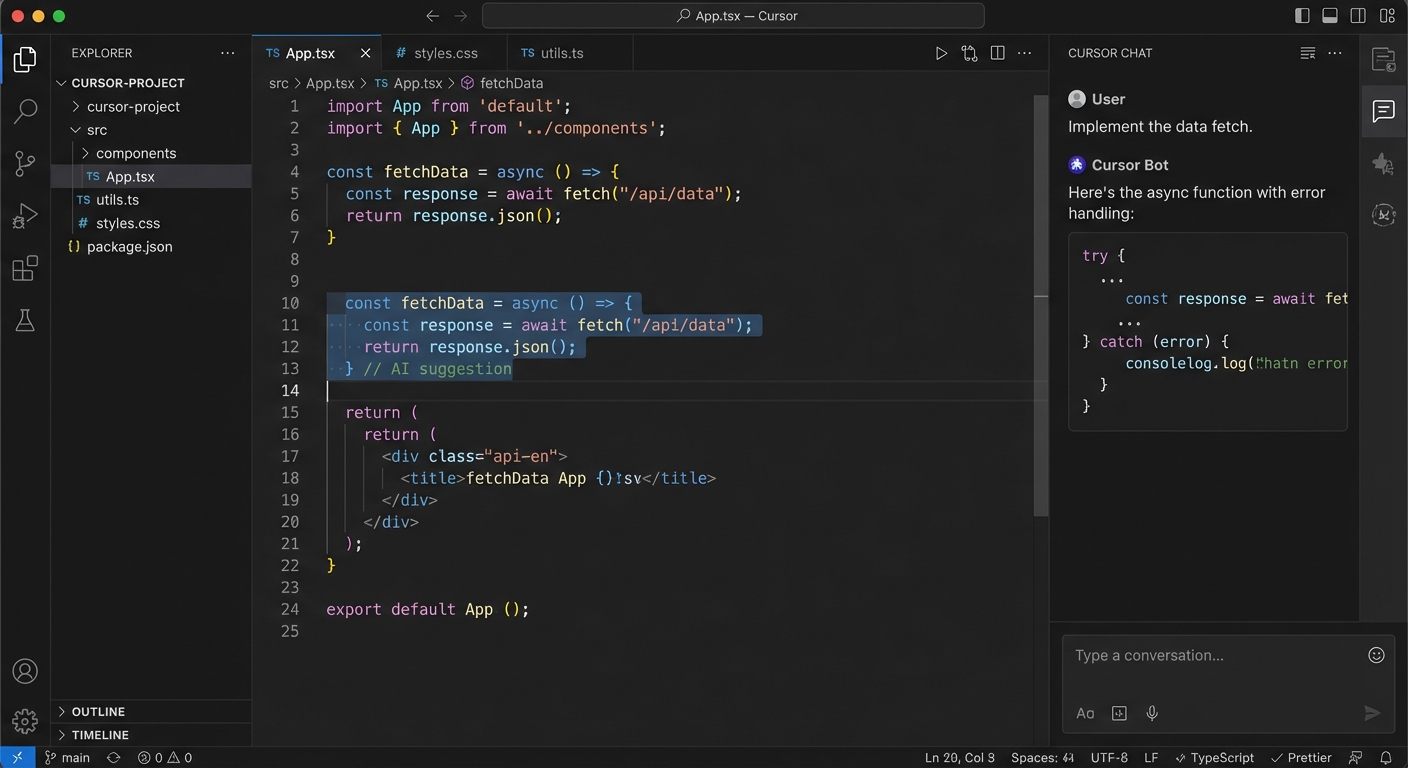
Cursor and VS Code put AI directly in the developer's workspace — reading one file while editing another, with the developer watching every change in real time.
The business case: Every developer in your company could have a tireless pair programmer who knows the entire codebase and never takes a break.
Level 4 · Example
A real example: I asked Claude Code to build a full web application — from database to frontend to deployment.
Level 4 · Example
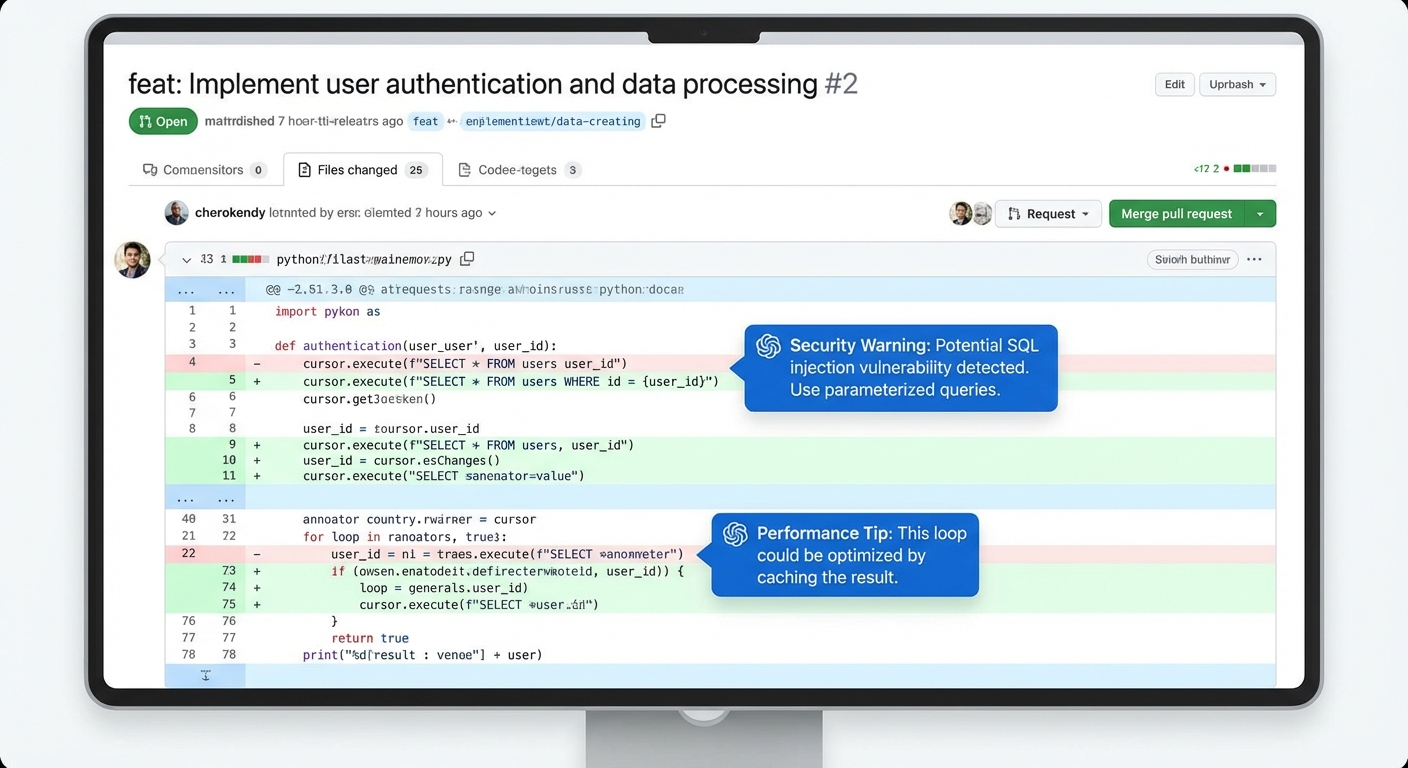
AI reviews every pull request — finding bugs, suggesting improvements, checking security vulnerabilities. It doesn't get tired, doesn't have ego, and reviews in seconds.
Business impact: Code review is a bottleneck in every engineering team. AI reviews free up senior engineers for architecture work instead of line-by-line review.

Level 4 · Example
The real power: AI working across an entire project simultaneously — reading docs, editing config, updating tests, and running builds in one session.
Level 4 · Industry Example
of all new code at Google is now AI-generated, then reviewed by engineers. Across one of the world's largest codebases.
Google CEO Sundar Pichai, Q3 2024
faster task completion for developers using Copilot. Over 77,000 organizations have adopted it. 1.8M+ paid users.
GitHub Copilot Impact Study, 2024
AI software engineer handling complete engineering tickets autonomously — from reading the issue to writing code to submitting the PR.
Cognition Labs, 2024-25
The takeaway: The top tech companies have already shifted their development workflow. AI isn't replacing developers — it's making each one 2-3x more productive.
Level 4 · Risk
At Level 4, AI reads environment variables, API keys, credentials, and can make system calls. It has the same access as the developer running it.
Would you hand a contractor the keys to your server room on day one? Sandboxing and permissions are non-negotiable.

Level 5
AI that works while you sleep. You define the goal — it plans, executes, and reports back.
Level 5
Levels 1-4 are human-in-the-loop — you ask, AI does, you review. Level 5 is AI-in-the-loop — you define the goal, AI handles everything else.

Level 5 · Architecture
Instead of one AI doing everything, specialized agents coordinate like a project team — each with a role.
It's like hiring a department, not a person. Tools: Claude Agent SDK, LangGraph, CrewAI, AutoGen.
Level 5 · Example
An agent monitors 50+ industry sources every morning, identifies relevant news, cross-references with our portfolio, and emails a summary brief by 7 AM. Every day. No human involved.
AMFI, SEBI circulars, Morningstar, Value Research, ET Markets, Bloomberg, competitor press releases, regulatory filings
Identifies trends, competitor moves, regulatory changes, and market shifts relevant to our specific portfolio and strategy
Structured morning brief with priority flags, action items, and links to sources — in your inbox before your first coffee
Level 5 · Example
Scheduled agents run on cron — daily, weekly, or continuously. Work that happens 24/7, not just during business hours.
Level 5 · Example
The most impressive capability: give an agent a project brief and it breaks the work into tasks, spins up parallel sub-agents, and delivers the finished product.
Level 5 · Example
Real workflows where multiple AI systems chain together — each step feeding the next. Not one clever chatbot, but industrial automation for knowledge work.
Agent pulls raw data from APIs, databases, emails, and document stores automatically
Analysis agent cleans, structures, cross-references, and identifies insights
Formatting agent creates reports, presentations, and emails — then distributes to the right people
Each step is a different agent or tool. The pipeline runs end-to-end without human intervention.
Level 5 · Industry Example
customer interactions handled autonomously. Agents resolve cases, qualify leads, and manage commerce — without human handoff for routine tasks.
to process financial filings that took analysts days. AI agents extract data, generate summaries, and flag anomalies across thousands of filings simultaneously.
"Agentic AI could automate 60-70% of current knowledge worker tasks by 2028." — McKinsey Global Institute, The State of AI 2025. The companies building these pipelines now will have a 3-5 year structural advantage.
Level 5 · Risk
They chain actions — read data, make API calls, send emails, modify systems. One misconfigured agent can cause cascading damage at 3 AM when no one is watching.
This is where governance stops being a "nice to have" and becomes the foundation.
Governance
You don't need to pick one. You need a policy for when to use which.
What: ChatGPT, Gemini, Perplexity — public cloud. Provider processes your data.
Use for: General research, brainstorming, public info, personal productivity.
Risk: Low — but never paste confidential data.
Cost: $20-100/month per user.
What: AWS Bedrock, Azure OpenAI, Google Vertex — your cloud, your encryption.
Use for: Internal documents, customer data analysis, proprietary research.
Risk: Medium — data in your VPC, provider doesn't train on it.
Cost: Usage-based, typically $1-5K/month.
What: Open-source models (Llama, Mistral, Qwen) on your own infrastructure.
Use for: Regulated data, trade secrets, compliance-critical tasks.
Risk: Lowest exposure — but highest ops burden.
Cost: GPU infra, $5-50K+/month.
Governance
Every employee should be able to answer "which zone?" in 10 seconds. Here's the flowchart.
The Path Forward
The question isn't whether to use AI. It's how fast we climb. Each level multiplies the productivity gains of the one below it. The gap between Level 1 and Level 5 isn't incremental — it's exponential.
Behind the Scenes
Total time from brief to finished 45-slide presentation: one conversation. This is Level 4.

They'll be the ones who learned to use it first.
Harish · April 2026
Let's discuss.